Turn a topic into a finished Chinese explainer video.
explainer-video is an Agent Skill: one shared pipeline, two art styles — hand-drawn whiteboard and photoreal vertical talking-head. Fact-checked script, word-level narration sync, music and sound effects, a mixed master, and platform copy.
What is explainer-video?
explainer-video is a reusable Agent Skill — a folder containing a SKILL.md entry point, a shared production pipeline, runnable Python and Shell scripts, and two complete art-style engines. Drop the folder into your agent's skills directory and the agent can produce a publish-ready Chinese explainer short video end to end: topic research and fact-checking, a colloquial script, narration converted into a word-level timeline, visuals, music and sound effects, a quality-checked master, and captions for Douyin, Xiaohongshu, Bilibili, WeChat Channels and X.
It is not a text-to-video model. Visuals are real code — React/Remotion compositions and Canvas whiteboard scenes — driven by the word-level narration timeline, so every frame is deterministic, editable and re-renderable. Replace the voice take and the animation, sound effects and captions re-align automatically.
Previously released as handdrawn-explainer-video (v2); v3 merged the whiteboard and photoreal styles into one skill and added real-voice alignment.
Two art styles
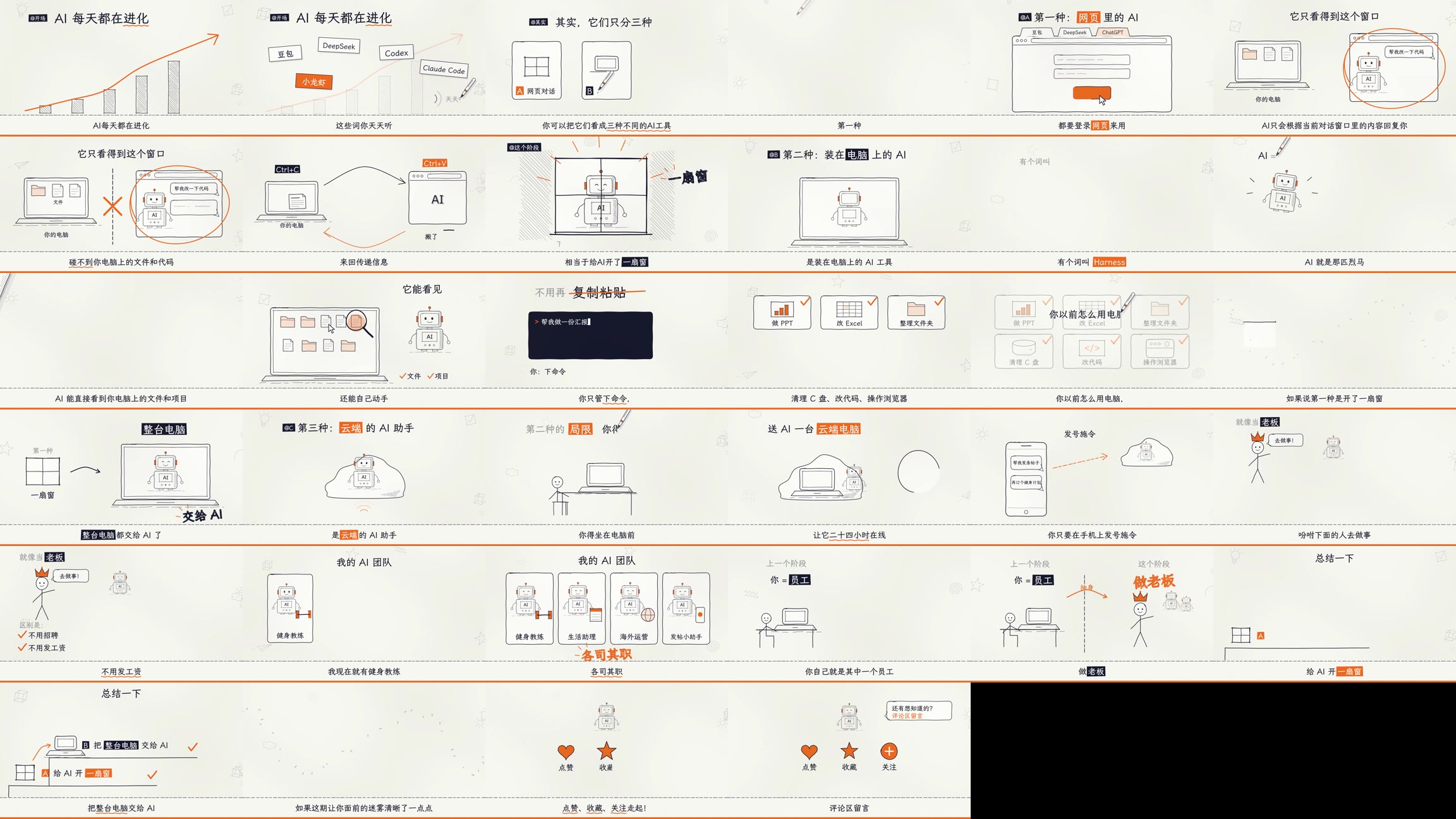
Hand-drawn whiteboard
Paper, pen lines and marker fills drawn while the narrator speaks. 1920×1080 (vertical patch included), Canvas engine built on dashi-animationstyle. Best for abstract concepts and methodology.
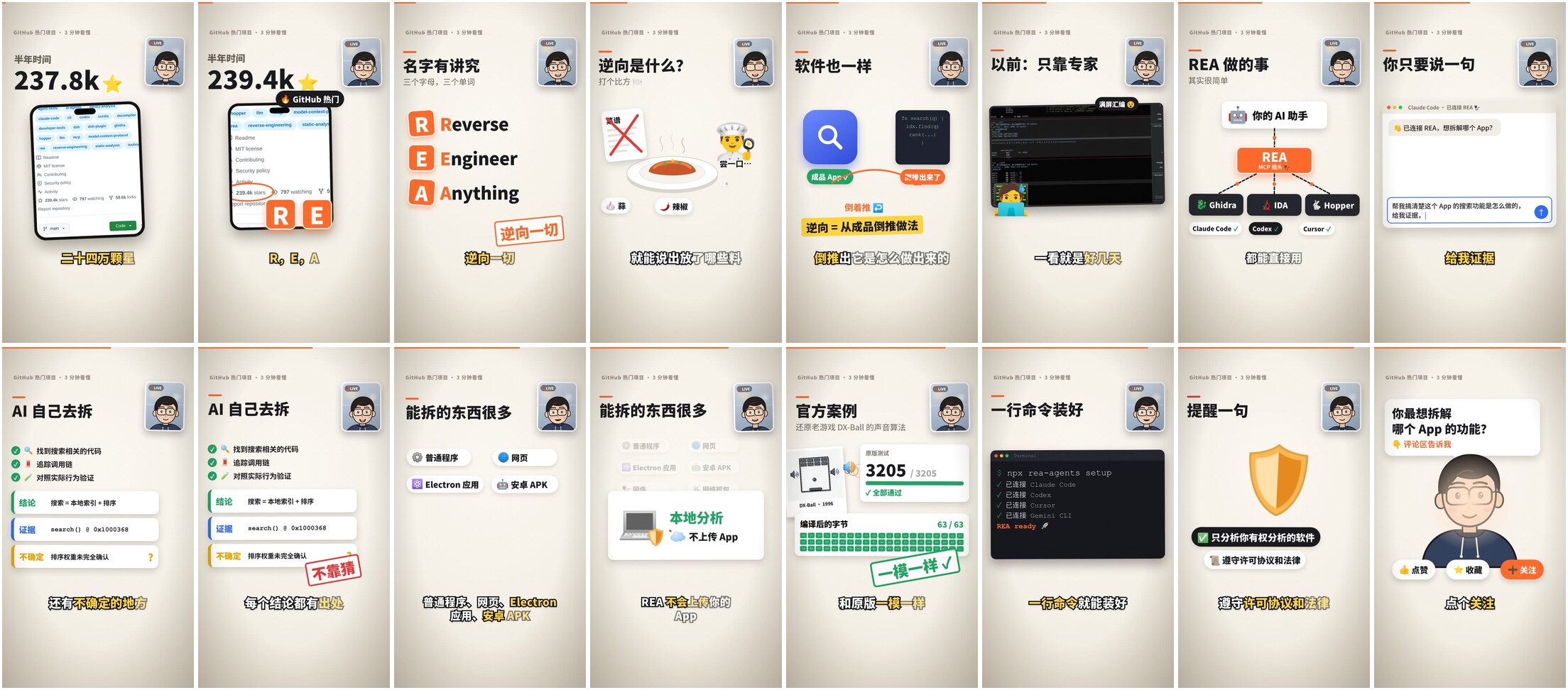
Photoreal vertical talking-head
An on-camera presenter with lip sync, real screenshots in device frames, hand-drawn callouts, handheld drift and film grain. 1080×1920 native vertical, Remotion template with 13 reusable scenes. Best for trending projects, product intros and data-driven news.
How the pipeline works
- Pick a style. The agent asks, or recommends one from your goal.
- Research and fact-check. Numbers, quotes and screenshots are collected with sources and dates before any writing.
- Write the script.
script.jsonwith spoken-colloquial sentences of at most 20 characters and a hook in the first three seconds. - Narration to word-level timeline. Your own recording via
voice_to_timeline.py, premium TTS, oredge-ttsas a free fallback; output isvoice.wavplustimeline.json. - Visuals. One idea per shot, every element cued to the exact word being spoken.
- Quality check. Stills from every scene are tiled into a contact sheet and scored against a nine-dimension rubric; anything below 2/5 does not ship.
- Music, SFX and mix. Sound effects are anchored to the k-th word of sentence i, and the mix ducks music under the voice at −14 LUFS.
- Delivery. Final MP4 plus copy for Douyin, Xiaohongshu, Bilibili (with chapter timestamps), WeChat Channels and X.
Install
Copy the whole folder — copying only SKILL.md does not work, because the scripts and templates live in sibling directories.
# Claude Code / Codex
cp -r explainer-video ~/.claude/skills/     # or ~/.codex/skills/

# DeepSeek Harness
cp -r explainer-video ~/.dsh/skills/

# verify the environment (must show ✓)
bash core/scripts/check_env.sh realistic    # or: handdrawn
Then tell your agent: “Use explainer-video to make a vertical video about <topic>.”
Full details, dependency list and troubleshooting live in the README.
FAQ
What is explainer-video?
It is a reusable Agent Skill: a folder containing a SKILL.md entry point, a shared production pipeline, runnable Python and Shell scripts, and two complete art-style engines. An AI coding agent loads it to produce a Chinese explainer short video end to end, from topic research to the final mixed MP4 and per-platform captions.
Which AI agents can run it?
Any agent that supports skill folders, including Claude Code, Codex and DeepSeek Harness. The reference episodes were produced with DeepSeek v4.1-flash running on DeepSeek Harness.
Do I need a paid text-to-speech service?
No. edge-tts is the free fallback and ships word-level timestamps. Premium TTS such as MiniMax, Doubao or ElevenLabs, or your own recording, simply delivers a better human feel.
How accurate is the automatic alignment of a real voice recording?
About 95% of characters are matched with a median error of roughly 0.04 seconds, measured with faster-whisper word-level alignment on the reference episode. Without faster-whisper the script falls back to silence-based sentence splitting with in-sentence distribution by character count.
Does replacing the narration break the animation or the sound effects?
No. Animation cues are anchored to words and sound effects are anchored to word k of sentence i in cues.json, so a new voice take re-aligns automatically without code changes.
Is the video generated by a text-to-video model?
No. Frames are rendered from real code: Remotion React compositions for the photoreal vertical style and Canvas scenes for the hand-drawn whiteboard style. Output is deterministic, reviewable and re-renderable, and real screenshots stay pixel-accurate.
What are the hard dependencies?
ffmpeg, Node 18+, Python 3 with numpy, and the Noto Sans SC, Noto Color Emoji and LXGW WenKai fonts. The photoreal template additionally needs the Remotion packages; the whiteboard style needs a clone of dashi-animationstyle. core/scripts/check_env.sh reports exactly what is missing.
Is explainer-video free?
Yes, it is released under the MIT license. Note that Remotion has its own license terms for commercial use, and the bundled fonts and dashi-animationstyle keep their original licenses.